Why a Reliable Samsung Charging Port Fix Matters
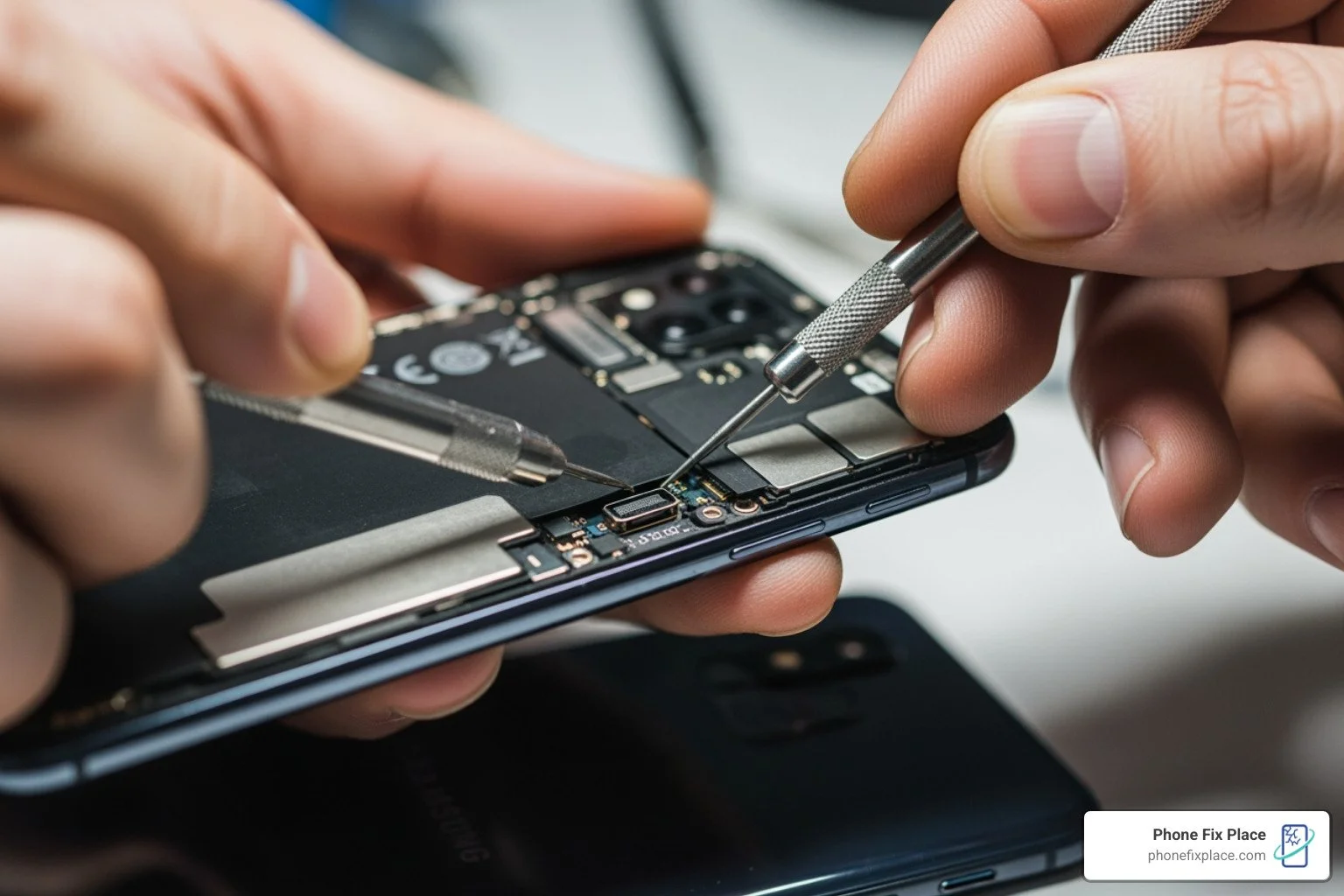
A Samsung charging port fix is essential when your device won't charge properly, shows intermittent connection, or requires you to hold the cable at a specific angle. Here's what you need to know:
Quick Solutions for Samsung Charging Port Issues:
Loose or intermittent charging - Requires professional port stabilization or replacement
Device won't detect charger - May need internal connector repair or flex cable replacement
Slow or inconsistent charging - Often caused by debris buildup or damaged pins requiring professional cleaning
Cable falls out easily - Indicates worn port housing that needs expert repair
When to Seek Professional Help:
Physical damage to the USB-C port
Corrosion or bent pins inside the charging port
Failed DIY cleaning attempts
Loss of water resistance after previous repairs
Your Samsung device is central to your daily life, and charging problems can disrupt everything from work communications to entertainment. While some online guides suggest DIY fixes, modern Samsung devices contain complex internal components that require specialized tools and expertise to repair safely.
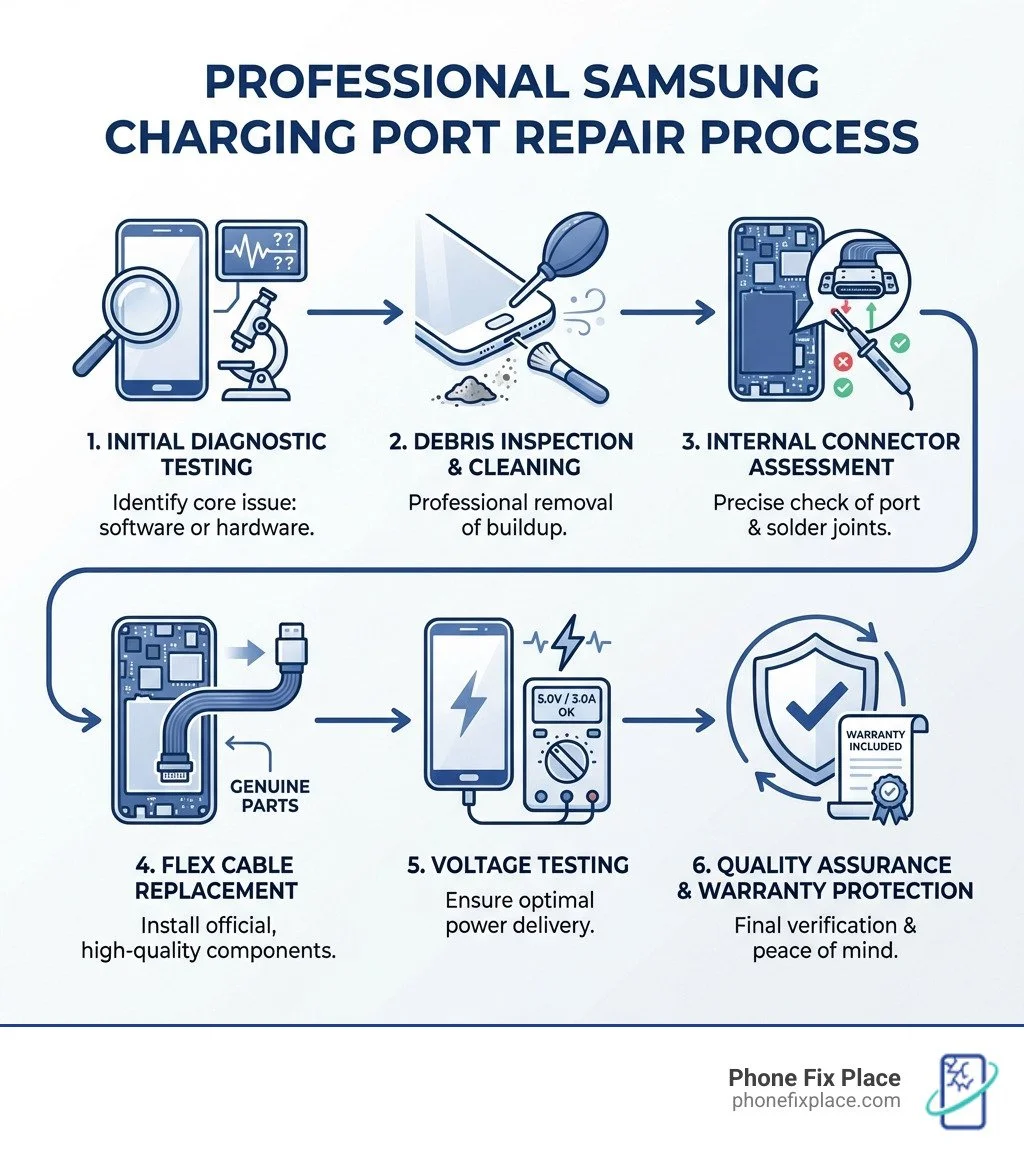
The professional repair process involves precise diagnostics to determine whether your issue is software-related or requires hardware replacement. Expert technicians use micro-soldering equipment, genuine Samsung parts, and testing procedures to restore full charging functionality while maintaining your device's water resistance and warranty protection.
I'm Cyndi Anastasio, owner of The Phone Fix Place in Albuquerque, and after nearly 14 years as an engineer at Intel, I've specialized in advanced micro-soldering and circuit board diagnostics, including countless Samsung charging port fix procedures. My technical background ensures that every repair is performed with precision, transparency, and the genuine care your device deserves.
Common Signs You Need a Samsung Charging Port Fix
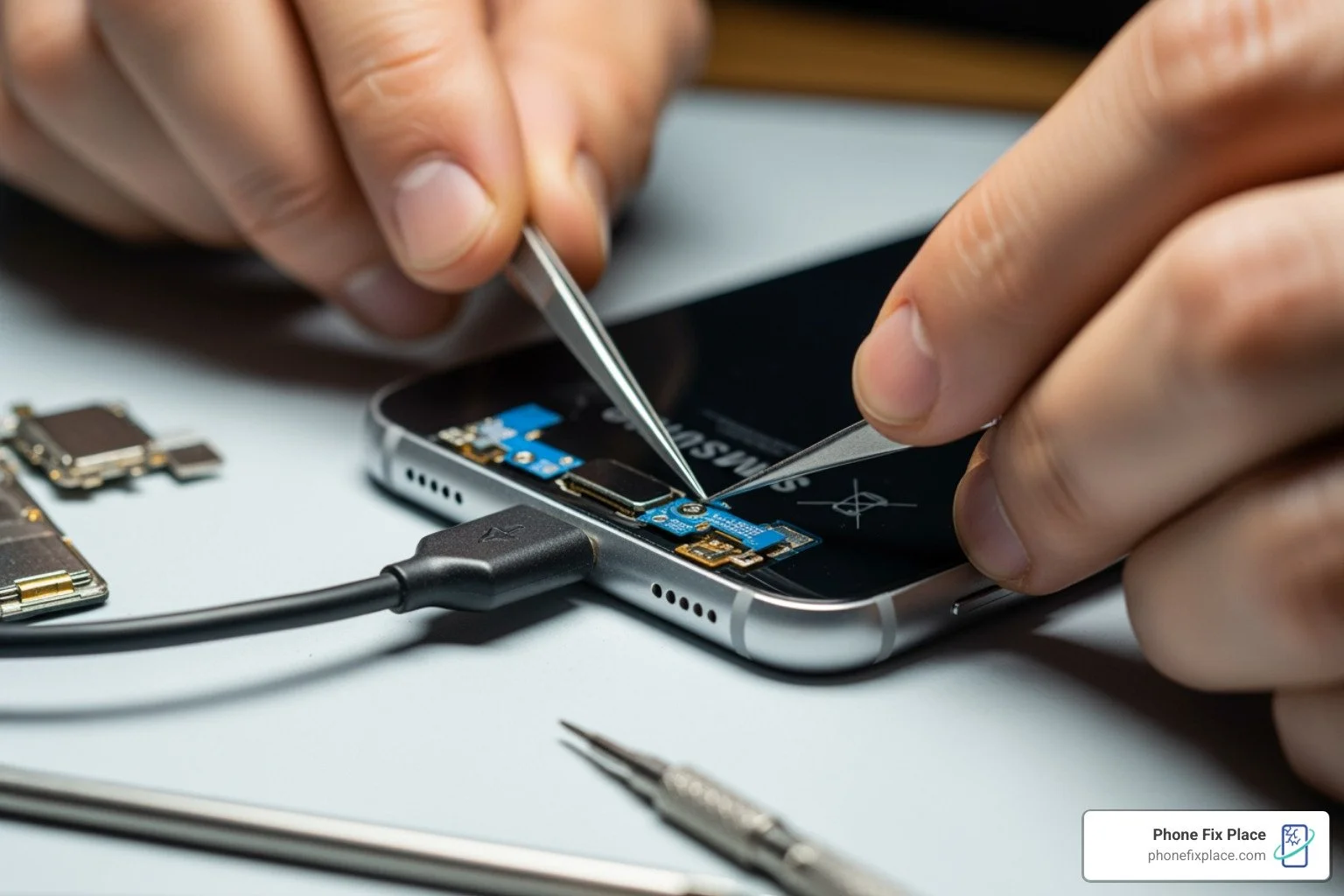
When your Galaxy smartphone or tablet begins to struggle with power, the symptoms are usually progressive. It might start as a minor annoyance—having to flip the cable over or wiggle it slightly—but eventually, it leads to a device that is completely unresponsive. Recognizing the signs early can prevent you from being stranded with a dead battery when you need your phone most.
Common Samsung charging port issues include the USB-C port not detecting a charger at all, a loose charging cable connection that feels "wobbly," and slow or inconsistent charging. If you find yourself propping your phone up against a book at a 45-degree angle just to get the charging icon to appear, you are dealing with a hardware failure that requires a professional Samsung charging port fix.
Identifying a Faulty Samsung Charging Port
When standard charging accessories fail to provide a consistent connection, the issue typically lies within the device's internal hardware. Professional diagnostics can identify signs of a faulty port, such as USB-C detection issues, inconsistent power delivery, or physical wear where the cable no longer seats securely. Expert technicians use high-magnification tools to identify bent pins or dark, charred marks (corrosion) inside the port that are invisible to the naked eye.
If you are experiencing these issues, a professional Smartphone Repair is the most reliable path forward. Attempting to "straighten" pins with a needle can cause a short circuit, potentially destroying the motherboard.
| Symptom | Likely Software Glitch | Likely Hardware Damage |
|---|---|---|
| Charging stops at 80% | Yes (Battery protection settings) | No |
| Cable feels loose/wobbly | No | Yes (Worn port housing) |
| Charging only works at one angle | No | Yes (Broken solder joints) |
| Device gets extremely hot at port | No | Yes (Short circuit/Corrosion) |
| Slow charging after update | Yes | No |
Environmental Factors and Accessory Quality
We often see devices in our Albuquerque and Rio Rancho locations that have failed due to environmental stress. Temperature plays a massive role in charging performance. Samsung devices have built-in safety mechanisms that limit or block charging if the device or the surrounding environment is too hot or too cold.
Furthermore, the importance of using Samsung-approved chargers and cables cannot be overstated. Low-quality or non-approved chargers can deliver inconsistent voltage, which leads to heat generation and eventual corrosion of the internal pins. Over time, debris like pocket lint or dust can become compacted deep inside the port by the charging cable, preventing a flush connection. While it's tempting to try and dig this out yourself, we use specialized non-conductive tools to ensure no static discharge damages the sensitive electronics.
Professional Diagnostic Steps for Charging Issues
Before we ever open a device, we perform a series of non-invasive diagnostic tests. This ensures we aren't replacing hardware when a simple software reset might do the trick. A professional diagnostic is the only way to be 100% certain of the root cause.
Determining if the Issue is Software-Related
Sometimes, the Android operating system or a specific app can "hang," causing the charging controller to stop responding. Professional technicians perform specialized diagnostic resets to determine if the problem is software-related. This process clears temporary memory and resets the charging controller without risking data loss. If the intermittent connection persists after these professional diagnostic steps, we know a physical Samsung charging port fix is required. This step is a standard part of our Samsung Phone Repair process.
When to Seek a Professional Samsung Charging Port Fix
There are specific scenarios where DIY troubleshooting must stop. If you notice any of the following, bring your device to us immediately:
Corroded Pins: Green or black buildup inside the port, often caused by moisture.
Bent Connectors: The center "tongue" of the USB-C port is slanted or broken.
Internal Hardware Failure: The phone charges via wireless charging but refuses to charge via cable.
Liquid Exposure: If your phone was recently exposed to water, the charging port is often the first component to fail.
In cases of severe damage or liquid exposure, you may also be worried about your photos and contacts. We offer specialized Data Recovery services to ensure your information is safe even if the device's power systems are compromised.
Why Professional Repair is Essential for Your Samsung Charging Port Fix
Modern Samsung Galaxy devices are masterpieces of engineering, but they are not designed for easy home repair. Since the introduction of the S6 series, Samsung has moved toward glass-backed, adhesive-heavy designs that make entering the device a high-risk maneuver.
The Risks of Attempting Charging Port Repairs Without a Professional
The risks involved in a DIY Samsung charging port fix are significant. First and foremost, any improper attempt to repair the product by someone other than a certified provider may void your warranty. Beyond the legalities, there are physical risks:
Battery Safety: To reach the charging port, you must work near the Lithium-Ion battery. Puncturing this battery during disassembly can lead to a thermal event (fire).
Loss of Water Resistance: Samsung devices carry an IP68 rating. This rating is maintained by specific gaskets and industrial adhesives. Without the proper re-sealing equipment, your "fixed" phone will no longer be protected against water.
Further Damage: It is incredibly easy to tear the fragile ribbon cables for the display or the fingerprint sensor while trying to remove the back glass.
Limitations of Self-Repair and Online Guides
While Samsung has introduced a Self-Repair program for models like the S20, S21, and S22, the reality is that the tools required—heating bags, specialized suction cups, PH0 screwdrivers, and ESD-safe (Electrostatic Discharge) gear—often cost more than the repair itself. Furthermore, online guides often skip the nuances of "feel" and precision that come with years of experience. For instance, precise temperature control is required during the opening process; even a slight deviation can permanently damage the sensitive AMOLED display.
We prioritize your safety and the longevity of your device. Whether you're attending a local festival or a business meeting, you need to know your phone is safe. You can read more about keeping your Phone Safety at Albuquerque Events to see why we value professional standards so highly.
The Technical Process of Fixing a Loose Samsung Charging Port
When we perform a Samsung charging port fix, we follow a strict, multi-step protocol to ensure the device is returned to factory specifications.
Professional Cleaning and Maintenance
In many cases, a "broken" port is actually just a very dirty one. However, cleaning it at home with a paperclip or a toothpick can flatten the pins or leave behind conductive residue. We use high-magnification microscopes and non-conductive, anti-static brushes to remove compacted debris. We also use 99% isopropyl alcohol to treat minor corrosion. This level of maintenance is similar to the precision we use in Computer Repair Albuquerque.
Component Replacement and Quality Testing
The repair process for a Samsung charging port is a high-precision operation that requires a controlled environment. It involves safely softening industrial adhesives, navigating delicate internal components like wireless charging coils and antenna cables, and utilizing specialized micro-soldering equipment to swap the faulty port with a genuine Samsung-authorized part. Because modern Galaxy devices are sealed for water resistance, professional reassembly requires specific adhesives and pressure-testing to ensure the device remains protected. This technical rigor ensures the device pulls the correct amperage for "Super Fast Charging" without risking a short circuit. We take pride in serving our community across Albuquerque and surrounding areas with this level of technical rigor.
Frequently Asked Questions about Samsung Charging Port Fixes
What are the most common Samsung charging port issues?
The most frequent issues we see include USB-C ports not detecting chargers due to internal pin wear, wobbly connections where the cable won't stay seated, and slow charging caused by debris or low-quality cables. Physical damage from "forcing" a cable in the wrong way is also a common culprit.
Can a software update fix my Samsung charging port?
In rare cases, yes. If the issue is caused by a glitch in the battery management software, an update or a professional diagnostic reset might resolve it. However, if the cable feels loose or the phone only charges at a certain angle, it is 100% a hardware issue that requires a physical Samsung charging port fix.
Is it worth repairing a Samsung charging port?
Absolutely. Replacing a charging port is significantly more cost-effective than buying a new $1,000 smartphone. A professional repair extends the life of your device by years and ensures that you maintain the trade-in value of your phone.
Conclusion
A faulty charging port doesn't have to mean the end of your Samsung Galaxy. Whether it's a simple case of compacted lint or a complex hardware failure requiring a full component replacement, the team at Phone Fix Place is here to help. We serve Albuquerque, Los Ranchos, Corrales, and Rio Rancho with a commitment to excellence that DIY guides simply can't match.
We offer free diagnostics, same-day service for most models, and a one-year warranty on all repairs to give you total peace of mind. Don't risk damaging your expensive device with a home repair attempt. Let our experts provide the professional Samsung charging port fix you need to get back to 100%.
Ready to fix your charging woes? Visit us today or learn more about our Smartphone Repair services.