
Vertical Lines on Your Phone Screen: Causes and Fixes
Quick Answer
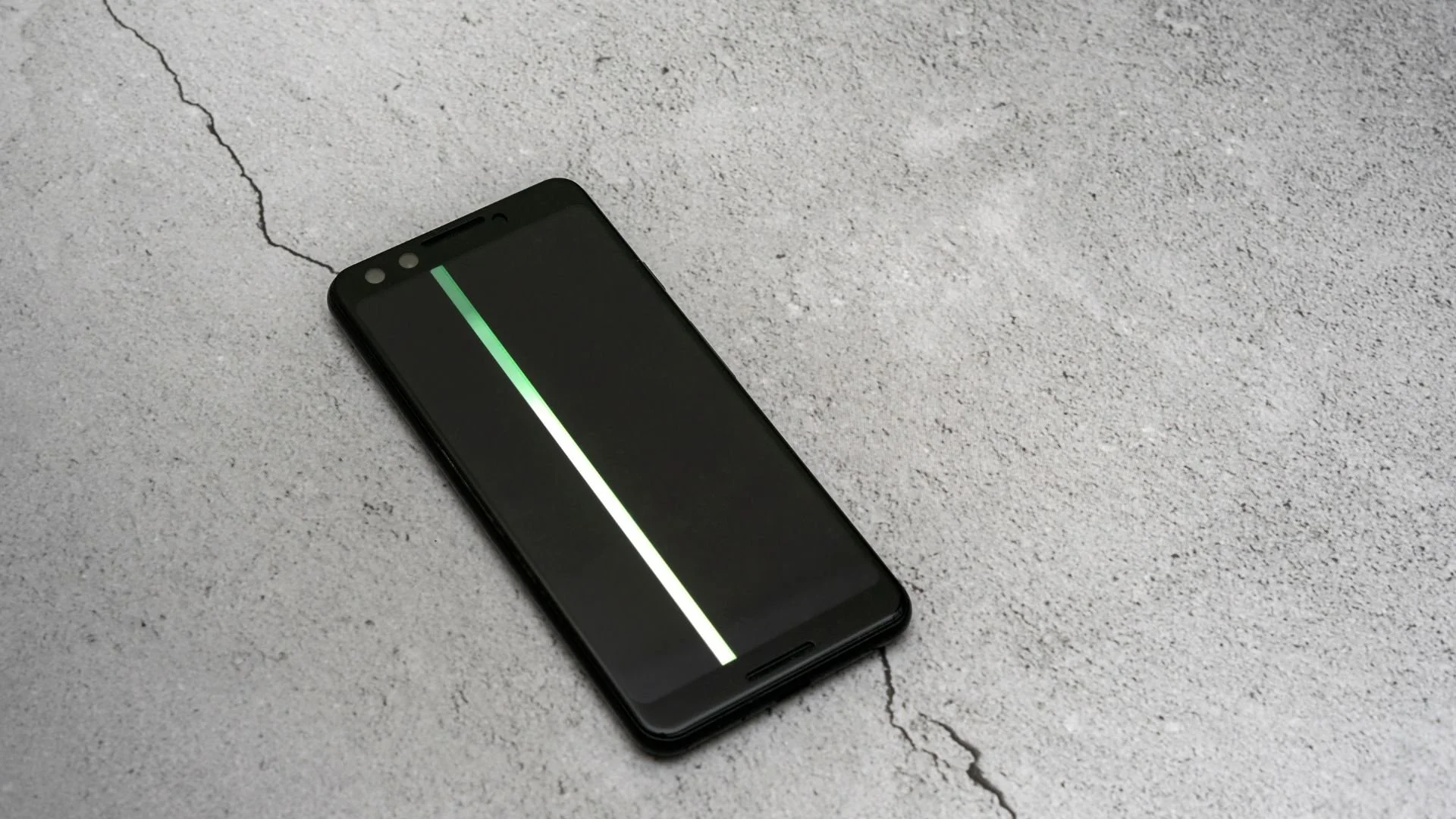
Vertical lines on your phone screen can be caused by a temporary software issue, physical or liquid damage, or a problem with the display. Restarting your phone, checking for updates, and looking at when and where the lines appear can help you troubleshoot the issue and narrow down the possible cause.
A strange line across your phone screen might seem like something you can live with, especially when the rest of your phone is working just fine. But those lines aren't always just an aesthetic concern, and ignoring them could mean overlooking a problem that needs attention.
With more than 15 years of experience in phone repair in Albuquerque, our team has seen its fair share of screen problems. If those lines have you wondering whether to ignore them or get your phone checked, we're here to help you make sense of what's happening and what to do next.
What Causes Lines on Your Phone Screen?
There are several issues that can cause lines to appear on your phone screen. Here are some of the most common:
Physical Damage from a Drop or Impact
A drop or impact can damage the display underneath the glass or affect its internal connections. This means vertical lines can appear even when the outer glass doesn't have a visible crack.
Software or Display Glitches
Temporary software or graphics issues can sometimes cause lines to appear on your screen. These may happen after an update, while using certain apps, or without an obvious physical cause.
Water or Moisture Damage
Water or moisture that gets inside your phone can interfere with the display and other internal components. Even rain or a small spill can sometimes lead to lines, flickering, discoloration, or touchscreen problems.
A Failing or Damaged Display
A damaged or failing display can cause persistent lines and noticeable pixel problems. The lines may stay in the same place, appear in different colors, or become more noticeable over time.
Understanding when and how the lines started can help narrow down the possible cause. If you can't pinpoint the problem on your own, especially whether the issue is related to the hardware or software, a professional phone repair technician at The Phone Fix Place can take a closer look and help identify the problem.

At-Home Fixes and Troubleshooting for Phone Screen Lines
Depending on the cause, some vertical lines may be resolved with a few simple fixes at home. Try the steps below to see whether the issue improves or if the problem may require professional attention.
Restart your phone. A restart can clear temporary software or display glitches and is a good first step if the lines appeared unexpectedly.
Check for software updates. Install any available system updates, as they may include fixes for software-related display problems.
Check recently installed or updated apps. If the lines only appear while using a certain app, close the app and check whether an update is available. If the problem started after installing a new app, removing it may help determine whether the app is causing the issue.
Check where the lines appear. Open different apps, menus, and screens. If the same line stays in the same position everywhere, the issue may be related to the display rather than a specific app.
Think about recent changes. Consider whether the problem started after an update, new app, drop, liquid exposure, or another change to the device. This can help narrow down whether you're dealing with a software issue or possible physical damage.
If the lines are caused by physical or liquid damage, at-home troubleshooting is unlikely to repair the display itself. Instead, take these steps before visiting a repair shop. Also, avoid DIY fixes that involve pressing, squeezing, hitting, or heating the screen, as these methods don't address the underlying problem and could cause additional damage.
What Can Happen If You Leave the Screen Issue Unfixed?
What happens if you leave vertical lines unfixed depends on the cause. A temporary software issue may continue until the underlying glitch, app conflict, or system problem is resolved, while physical display damage may worsen over time. With display damage, you may notice more lines appearing or other problems developing, such as flickering, discoloration, black spots, or areas of the touchscreen becoming unresponsive.
Frequently Asked Questions
Can vertical lines on a phone go away on their own?
Yes, sometimes vertical lines can go away on their own, especially when they're caused by a temporary software glitch. But if the lines stick around, keep coming back, or get worse, the phone may need further troubleshooting or repair.
Why does my phone have a green line even though I didn't drop it?
A green line can appear without a recent drop because physical impact isn't the only possible cause. Software problems or an issue within the display hardware can also lead to a persistent line.
Can a screen protector cause vertical lines on a phone?
A standard screen protector generally won't cause electronic vertical lines within the display itself. However, cracks, scratches, bubbles, or discoloration on the protector can sometimes affect what you're seeing on the surface.
Is it safe to use a phone with vertical lines on the screen?
A phone with a vertical line may still be usable if everything else is working normally. However, overheating, swelling, significant liquid exposure, or a display that is rapidly getting worse are reasons to stop using the device and have it professionally assessed.

Get Your Phone Screen Back to Normal
Dealing with lines across your screen every time you pick up your phone can get frustrating quickly. At The Phone Fix Place, we offer phone screen repair in Albuquerque, with some repairs completed in as little as 90 minutes. Bring your phone in, and let's get your screen looking and working the way it should again.
Key Takeaways
Vertical screen lines can be caused by software issues, physical damage, liquid exposure, or problems with the display.
Restarting your phone and checking for software updates are good first steps when there hasn't been obvious physical or liquid damage.
Lines that stay in the same place across apps and screens may point to a display issue rather than a problem with a specific app.
Worsening lines, flickering, black spots, or touchscreen problems can be signs that the display needs attention.
Avoid DIY fixes that involve pressing, hitting, squeezing, or heating the screen.
The Phone Fix Place offers professional phone repair services in Albuquerque.
