Why a Cracked Tablet Screen Demands Your Attention
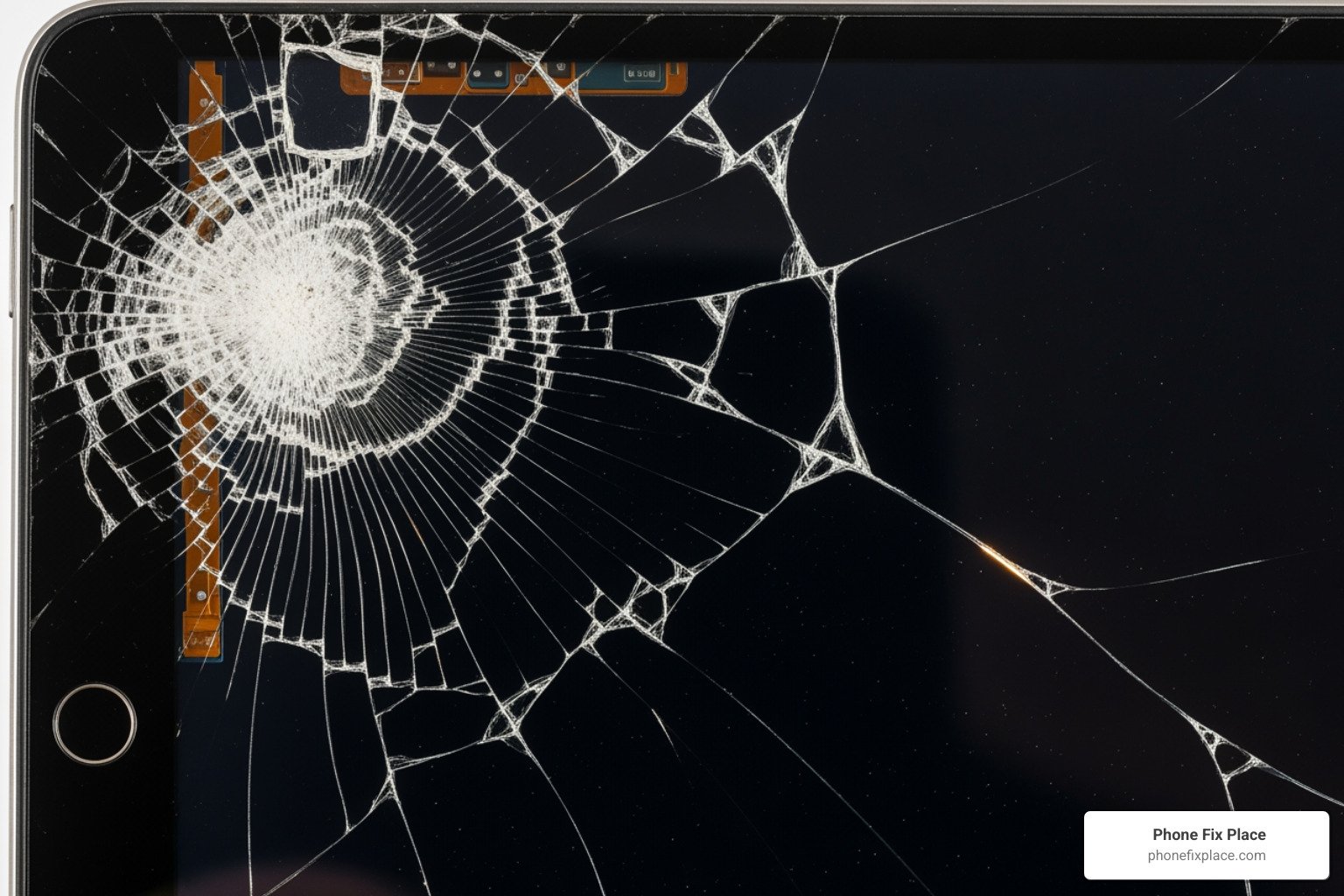
Fix my tablet screen is more than just a search query—it's often a moment of frustration when your essential device suddenly becomes difficult or unsafe to use. Whether your tablet slipped from your hands, got crushed in your bag, or suffered from a manufacturing flaw, a damaged screen can disrupt work, entertainment, and communication.
Your main options to fix a tablet screen:
| DIY Repair | Purchase a replacement screen and tools, follow online guides. Best for: tech-savvy users comfortable with risk. Cost: $30–$80 in parts, but high risk of further damage. |
| Professional Repair | Take it to a certified repair shop. Best for: guaranteed results with warranty. Cost: $79–$250 depending on model. Time: Often same-day service. |
| Manufacturer Repair | Send to the original manufacturer or authorized service center. Best for: devices under warranty. Cost: Varies, often expensive without coverage. |
| Check Warranty First | Many tablets have accidental damage coverage you may not know about. Always verify before paying out of pocket. |
When to act immediately: If you see exposed glass shards, the touchscreen is unresponsive, or the display shows lines or discoloration, continuing to use the device risks both injury and data loss.
I'm Cyndi Anastasio, owner of The Phone Fix Place in Albuquerque, and after nearly 14 years as an engineer at Intel, I've spent years helping people fix my tablet screen issues through advanced micro-soldering and precise diagnostics that most shops won't attempt. Below, I'll walk you through exactly what you need to know to make the right decision for your situation.
First Steps: Assessing the Damage and Your Options
A cracked tablet screen can feel like a disaster, but don't panic! The first step is always to assess the damage and understand your options. Just like a car accident, not all crashes are created equal.
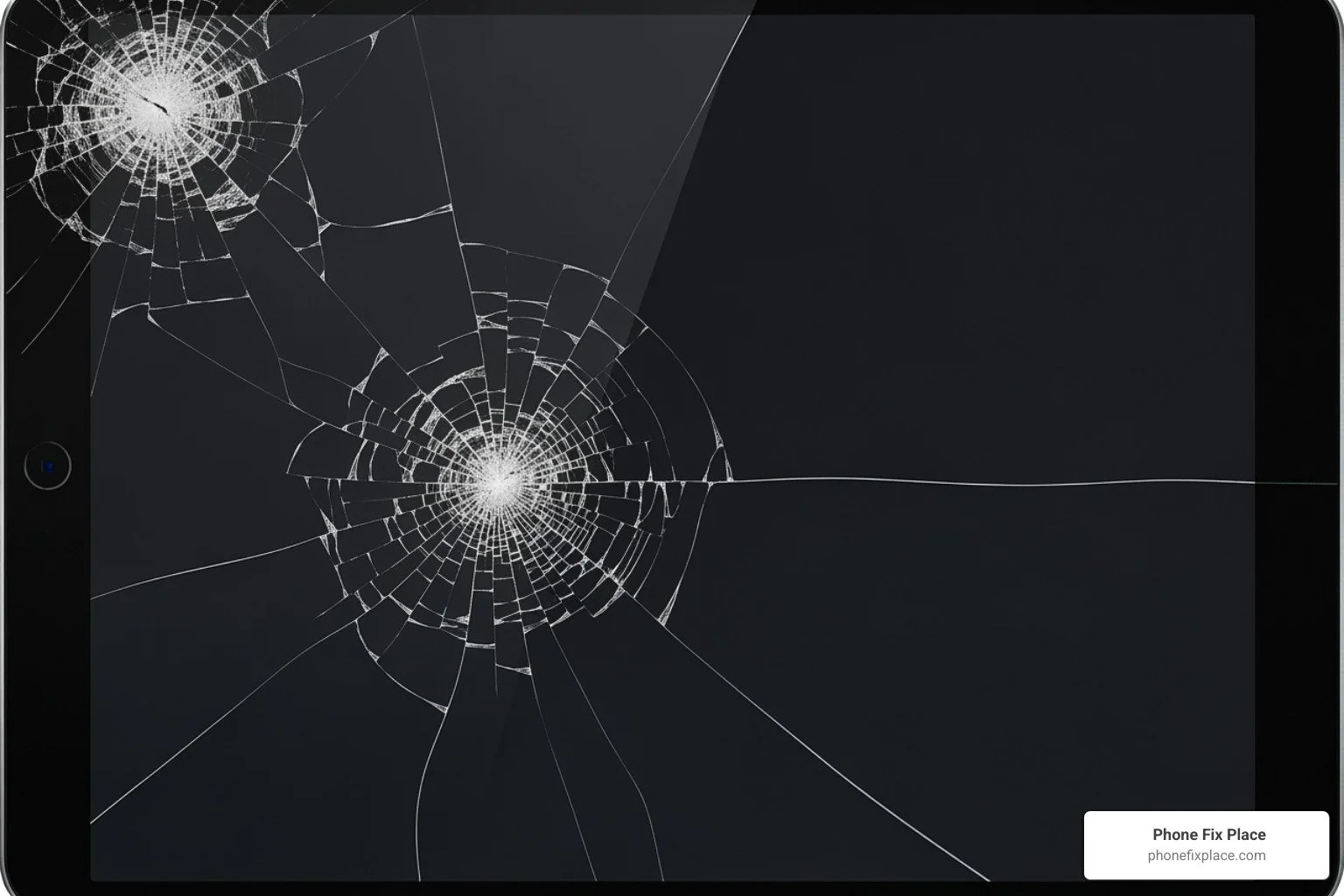
Common causes of a cracked tablet screen often boil down to gravity and pressure. We've all been there: the notorious drop onto a hard surface, a heavy book carelessly placed on top, or even just the everyday wear and tear of being crammed into a bag with keys and pens. While less common, manufacturing defects can also lead to screen issues. Understanding the cause can sometimes help prevent future mishaps.
Before you do anything else—whether you plan to attempt a DIY repair or bring it to us—we strongly recommend backing up your data. This is crucial because any repair, no matter how carefully executed, carries a small risk of data loss. You can typically back up your tablet's data to a cloud service (like Google Drive, iCloud, or OneDrive) or connect it to a computer and transfer important files. Better safe than sorry when it comes to your precious memories and documents!
Types of Screen Cracks and Their Implications
Not all cracks are created equal. The type of damage your tablet screen has sustained can tell us a lot about its implications for usability, safety, and the urgency of repair.
Minor Scratches or Tiny Corner Cracks: These might seem cosmetic, but even a tiny scrape in the corner can compromise the screen's structural integrity. While your tablet might still be usable and the touchscreen functional, these issues can spread over time. We advise monitoring them closely. They also potentially compromise any water resistance your tablet might have had.
Side-to-Side or Linear Cracks: These cracks often run across a significant portion of the screen. They can interfere with your view, and more importantly, they can affect touchscreen responsiveness. Over time, these cracks can lead to complete screen failure and, if the glass is sharp, pose a risk of injury.
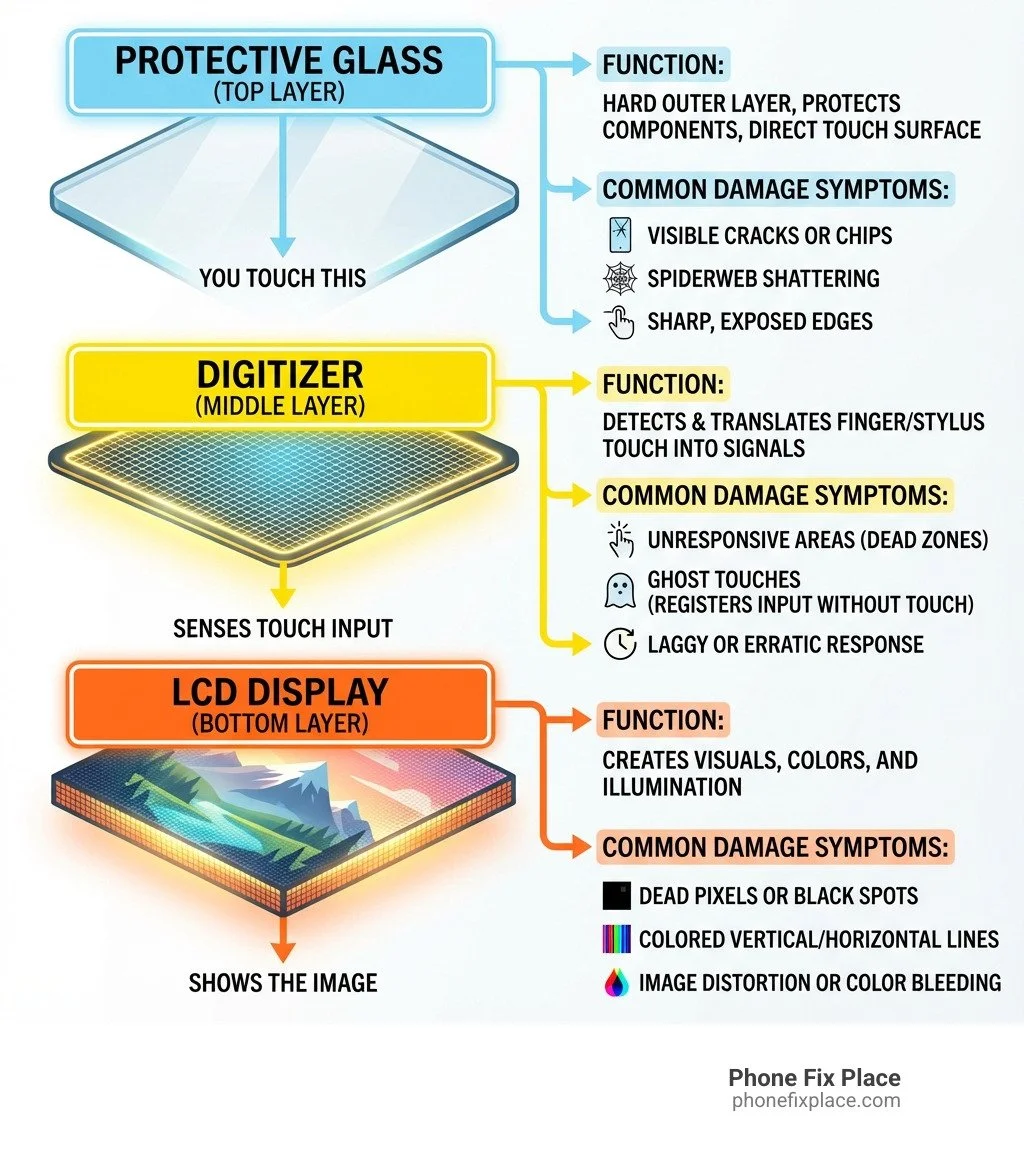
Spiderweb Cracks: This is typically the result of a significant impact. A spiderweb of cracks means the glass is severely fractured, often leading to large areas of the screen becoming unresponsive to touch inputs or failing to recognize touch altogether. This type of damage can also cause the screen to misinterpret touches, making your tablet frustratingly difficult to use.
Shattered Screen: In severe cases, the screen can be completely shattered, leaving sharp shards of glass exposed. This renders the tablet practically unusable and presents a clear safety hazard. This type of damage almost always requires immediate professional attention.
Checking Your Warranty Status
Before you consider repair options, it's always smart to check your tablet's warranty status. This could save you time, money, and hassle.
Manufacturer Warranty: Most tablets come with a standard manufacturer's warranty, which typically covers manufacturing defects. However, it's important to note that these warranties usually do not cover accidental damage, such as a cracked screen. You'll often find warranty information on your manufacturer's website.
Accidental Damage Coverage/Protection Plans: If you purchased an extended protection plan or accidental damage coverage when you bought your tablet, you might be in luck! These plans are specifically designed to cover drops, spills, and other mishaps that standard warranties exclude. Check your plan's terms and conditions, as there might be a deductible or service fee involved.
To check your warranty, locate your tablet's serial number (usually in the device settings under "About" or printed on the back/bottom of the device). Then, visit the manufacturer's support website and enter the serial number. This will often tell you if your device is still under warranty and what type of coverage you have.
For more general information about these versatile devices, you can also refer to Wikipedia: Tablet Computer.
The DIY Route: What to Know Before You Try to Fix Your Tablet Screen
We understand the allure of a do-it-yourself (DIY) project, especially when it comes to saving a few bucks. Fixing your tablet screen at home can seem like a valiant effort, but go into it with eyes wide open about the risks and rewards.
Here's a quick comparison of DIY versus professional repair:
| Feature | DIY Repair | Professional Repair (e.g., Phone Fix Place) |
|---|---|---|
| Cost | Parts cost ($30-$80), plus tools | Starting from $79-$99 (can vary by model) |
| Time | Hours to days (research, ordering, actual repair) | |
| Risk | High risk of further damage, data loss, injury | Minimal to client, covered by warranty |
| Quality | Varies greatly based on skill and parts quality | High, using quality parts, expert technicians |
| Warranty | None on your work, often voids manufacturer warranty | 1-year limited warranty on parts and labor |
One of the biggest considerations for DIY is that attempting to fix my tablet screen yourself will almost certainly void any existing manufacturer's warranty you might have. Modern tablets are complex devices, often held together with strong adhesives and tiny, delicate components. Disassembly requires specialized tools and a steady hand.
Tools and Knowledge Needed for a DIY Repair
If you're still feeling brave and want to attempt a DIY tablet screen repair, here's what you'll typically need:
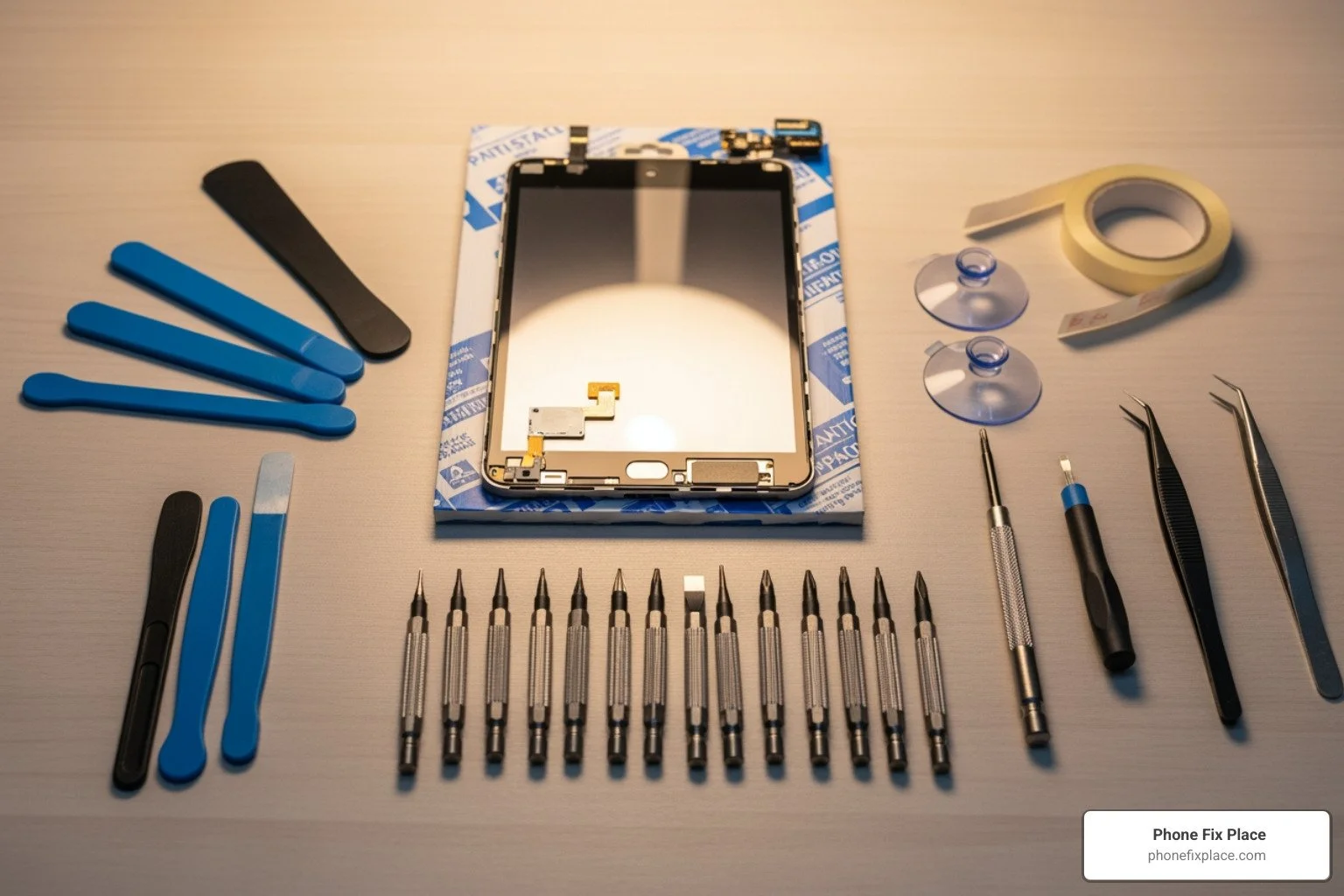
Essential Tools for DIY Tablet Screen Repair:
Replacement Screen: This is critical! Make sure it's specifically for your tablet's make and model. You can often find these parts on websites that specialize in selling electronic components.
Screwdriver Set: Tablets use tiny screws, so a precision electronics screwdriver set (often including Torx, Phillips, and Pentalobe bits) is essential.
Plastic Opening Tools (Spudgers): These are non-marring tools used to pry open cases and disconnect delicate ribbon cables without damaging them.
Heat Gun or Hair Dryer: Many tablets use adhesive to secure the screen. A heat gun (on a low setting) or a hair dryer is used to soften this adhesive for easier removal.
Suction Cup: Handy for lifting the screen once the adhesive is softened.
Adhesive Strips or Glue: You'll need new adhesive to secure the replacement screen.
Tweezers: For handling small components and ribbon cables.
Microfiber Cloth: For cleaning the screen and internal components.
Anti-static Wrist Strap: To prevent electrostatic discharge (ESD) from damaging internal electronics.
Magnifying Glass or Headband Magnifier: Those components are tiny!
A Clean, Well-Lit Workspace: Crucial for visibility and preventing dust from getting under the new screen.
Beyond the tools, you'll need patience, a keen eye for detail, and the ability to follow step-by-step video tutorials or online guides.
Pros and Cons of Attempting to Fix Your Tablet Screen
Let's weigh the good against the bad when you decide to tackle a tablet screen repair yourself.
Pros:
Cost Savings: This is often the primary motivator. Buying the part yourself and doing the labor can be cheaper than professional repair, potentially saving you a significant amount if successful. Replacement screens can be found for as low as $30-$80.
Learning Experience: For the mechanically inclined, it can be a satisfying challenge and a great way to learn more about how your devices work.
Immediate Gratification: If you have the part and tools on hand, you could potentially complete the repair faster than waiting for a professional service, though this is rare.
Cons:
High Risk of Further Damage: This is the biggest drawback. One wrong move—a slipped screwdriver, too much heat, a ripped cable—and you could turn a cracked screen into a completely dead tablet. We've seen it happen.
Voiding Your Warranty: As mentioned, DIY repair almost always voids your manufacturer's warranty. If something else goes wrong later, you're on your own.
No Warranty on Your Work: If your DIY repair fails a week later, you have no recourse or guarantee.
Time-Consuming: Researching, ordering parts, waiting for delivery, and the actual repair process can take hours or even days.
Specialized Tools and Knowledge: Not everyone has the right precision tools or the dexterity required for such delicate work.
Quality of Parts: Sourcing reliable, high-quality replacement parts can be tricky. Cheap parts might fail quickly or not perform as well as the original.
For many, the peace of mind and guaranteed quality of a professional repair outweigh the potential cost savings of a DIY attempt.
When to Call the Pros: Professional Tablet Screen Repair
Sometimes, the best solution to fix my tablet screen isn't to do it yourself, but to trust the experts. Knowing when to call in the professionals can save you headaches, time, and potentially more money in the long run.
When to choose a professional:
Severe Damage: If your screen is shattered, has large spiderweb cracks, or the display is completely black or showing severe discoloration, it's usually best left to a pro.
Water Damage: If your tablet has taken an accidental swim, water damage complicates things significantly. Internal corrosion can occur, and drying it out is only the first step. Professionals have specialized tools and knowledge to assess and mitigate this damage.
Lack of Time or Confidence: If you're not comfortable with delicate electronics, don't have the time to research and execute a DIY repair, or simply want a guaranteed fix, a professional service is the way to go.
For a Guaranteed Fix: Reputable repair shops offer warranties on their parts and labor, providing peace of mind that your repair will last.
What to Look for in a Reputable Repair Service
Choosing the right repair service is critical. Here at Phone Fix Place in Albuquerque, we pride ourselves on providing top-notch service. Here's what we recommend you look for:
Customer Reviews: Check online reviews (Google, Yelp, etc.) to see what other customers say about their experience. Look for consistent praise for quality, speed, and customer service.
Free Diagnostics: A good repair shop, like ours, will offer free diagnostics. This allows us to accurately identify the problem and provide you with a clear repair plan and estimate before you commit. (Note: some advanced diagnostics might incur a small fee, which is typically applied towards the repair cost if you proceed).
Warranty on Parts and Labor: This is non-negotiable. We offer a 1-year limited warranty on most repairs, valid at our Albuquerque locations. This protects your investment and ensures quality.
Use of High-Quality Parts: Ask about the quality of their replacement parts. We use only high-quality parts to ensure your tablet functions like new.
Certified Technicians: Experienced and certified technicians have the expertise to handle delicate tablet repairs without causing further damage.
Transparent Pricing: Look for a service that provides a clear, upfront quote before any work begins, so there are no surprises.
What's the Cost and Timeframe to Fix My Tablet Screen Professionally?
The cost and time involved in professional tablet screen repair are often key factors in your decision.
Typical Costs: The cost to fix my tablet screen professionally can vary depending on the tablet's make, model, and the extent of the damage. Based on industry averages, cracked screen repairs can start anywhere from as low as $79 to $99, especially for common models. More complex repairs or premium models might cost more, sometimes up to $250 or more. We always provide free diagnostics and a transparent quote so you know exactly what to expect.
Repair Time: One of the biggest advantages of professional repair is speed. Many tablet screen repairs can be completed quickly. Our experts at Phone Fix Place strive for fast turnaround times, with many repairs done as soon as the same day. For common models, some repairs can even be completed in 45 minutes or less. This means you can often drop off your tablet and pick it up fully functional later that day.
For convenient and quick service, you can easily schedule a repair with us or simply walk into one of our Albuquerque locations.
Prevention is Key: Protecting Your Tablet Screen from Future Damage
An ounce of prevention is worth a pound of cure, especially when it comes to delicate tablet screens. After all the effort to fix my tablet screen, you'll want to keep it pristine!
Best practices for handling your tablet:
Handle with Care: Always hold your tablet securely. Avoid juggling it or placing it precariously on edges.
Avoid Extreme Temperatures: Extreme heat or cold can weaken materials and adhesives, making your screen more susceptible to cracking. Don't leave your tablet in a hot car or direct sunlight for extended periods.
Don't Place Heavy Objects on It: Your tablet's screen is not designed to withstand significant pressure. Avoid putting it in bags where it might get crushed by books or other heavy items.
Clean Regularly, Gently: Use a soft, lint-free cloth (like a microfiber cloth) to gently wipe your screen. Avoid harsh chemicals that can damage the oleophobic coating.
Screen Protectors vs. Protective Cases
These two accessories serve different, yet complementary, roles in safeguarding your tablet.
Screen Protectors:
Tempered Glass Protectors: These are highly recommended. Made from a thin layer of hardened glass, they absorb impacts, often cracking themselves instead of your tablet screen. They also provide excellent scratch resistance and maintain the original touch sensitivity and clarity.
Film Protectors: These are thinner, plastic-based protectors. They offer good scratch resistance but provide minimal impact protection compared to tempered glass. They are generally less expensive.
What they do: Primarily protect the screen surface from scratches and, in the case of tempered glass, absorb direct impacts.
What they don't do: They won't protect the edges or corners of your tablet from drops, nor do they prevent bending or twisting damage.
Protective Cases:
Rugged Cases: These are designed for maximum protection, often featuring multi-layer construction with shock-absorbing materials, reinforced corners, and raised bezels to protect the screen if dropped face-down. They can be bulky but offer superior drop protection.
Folio Cases (or Smart Covers): These cases cover both the back and front of your tablet, often folding into a stand. They offer decent protection against scratches and minor bumps, and the cover can prevent screen damage when in a bag. However, they typically offer less drop protection than rugged cases.
What they do: Protect the entire body of the tablet, especially the corners and edges, from drops and impacts. Many also protect the screen when closed.
What they don't do: A basic case without a built-in screen protector won't prevent scratches to the screen when in use.
For the best protection, we always recommend using both a high-quality tempered glass screen protector and a sturdy protective case. Think of it as a seatbelt and an airbag for your tablet!
Frequently Asked Questions about Tablet Screen Repair
We get a lot of questions about cracked tablet screens. Here are some of the most common ones we hear:
Can I use my tablet if the screen is just a little cracked?
While it might be tempting to continue using your tablet with a minor crack, we strongly advise against it. Here's why:
Cracks Can Spread: Even a tiny crack can quickly expand across the screen with continued use, pressure, or minor impacts, leading to more severe damage.
Compromised Water Resistance: Most modern tablets have some degree of water resistance. A cracked screen immediately compromises this seal, making your device vulnerable to liquid damage, which is often more costly to repair.
Potential for Touch Input Failure: Cracks can interfere with the digitizer, leading to unresponsive areas or "ghost touches" where the tablet registers inputs you didn't make.
Risk of Cuts from Glass Splinters: Exposed glass, even from small cracks, can be sharp and pose a risk of cuts or splinters to your fingers.
Eye Strain: A fractured screen can distort images and cause significant eye strain over time.
It's always safer and often more cost-effective in the long run to address even minor screen damage promptly.
Will a screen protector hide or fix the cracks?
No, unfortunately, a screen protector cannot magically fix existing cracks. Once the glass is fractured, it's fractured. A screen protector:
Cannot Repair Cracks: It will not bond the glass back together or remove the visual distortion of the crack.
May Prevent Worsening: A screen protector, especially a tempered glass one, might help prevent existing cracks from spreading further or keep small shards from falling out.
Can Make the Surface Feel Smooth: It can provide a smoother surface over the cracks, making the tablet more comfortable to use, but the damage underneath will still be visible.
Think of it like putting a bandage on a broken bone—it might make it feel a bit better and protect it, but it won't heal the break.
Does the standard manufacturer's warranty cover a cracked screen?
Typically, no. This is one of the most common misconceptions.
Standard warranties from manufacturers are designed to cover defects in materials or workmanship. This means if your tablet stops working due to a component failure that isn't your fault, the warranty should cover it.
Accidental damage, such as dropping your tablet and cracking the screen, is generally not covered under a standard manufacturer's warranty. It's considered user-induced damage.
Extended protection plans or insurance policies (often purchased separately at the time of tablet purchase) are what typically cover cracked screens, usually for a deductible or service fee. Always check the terms of any protection plan you have.
If your screen is cracked, your best bet is to check if you have an accidental damage plan or to seek professional repair services that offer their own warranty.
Conclusion: Your Path to a Perfect Screen
A cracked tablet screen is a common problem, but thankfully, it doesn't have to be the end of your beloved device. Whether you choose the adventurous DIY route or opt for the peace of mind that comes with professional help, getting your screen repaired means restoring your tablet's full functionality and ensuring its safe use.
We've explored the common causes, various types of cracks, and the important steps like backing up your data and checking your warranty. We've also weighed the pros and cons of tackling the repair yourself versus bringing it to the experts. While DIY can be cost-effective for the brave and skilled, professional repair offers reliability, speed, and a guarantee on the work.
The best way to avoid this predicament is prevention. Investing in a quality tempered glass screen protector and a robust protective case can significantly extend the life of your tablet's screen and save you from future headaches.
When you need to fix my tablet screen, for a fast, affordable, and guaranteed repair, trust the experts at Phone Fix Place. We offer free diagnostics and a one-year warranty on our repairs, ensuring your device is in capable hands right here in Albuquerque.