Why Your Devices Deserve Expert Care
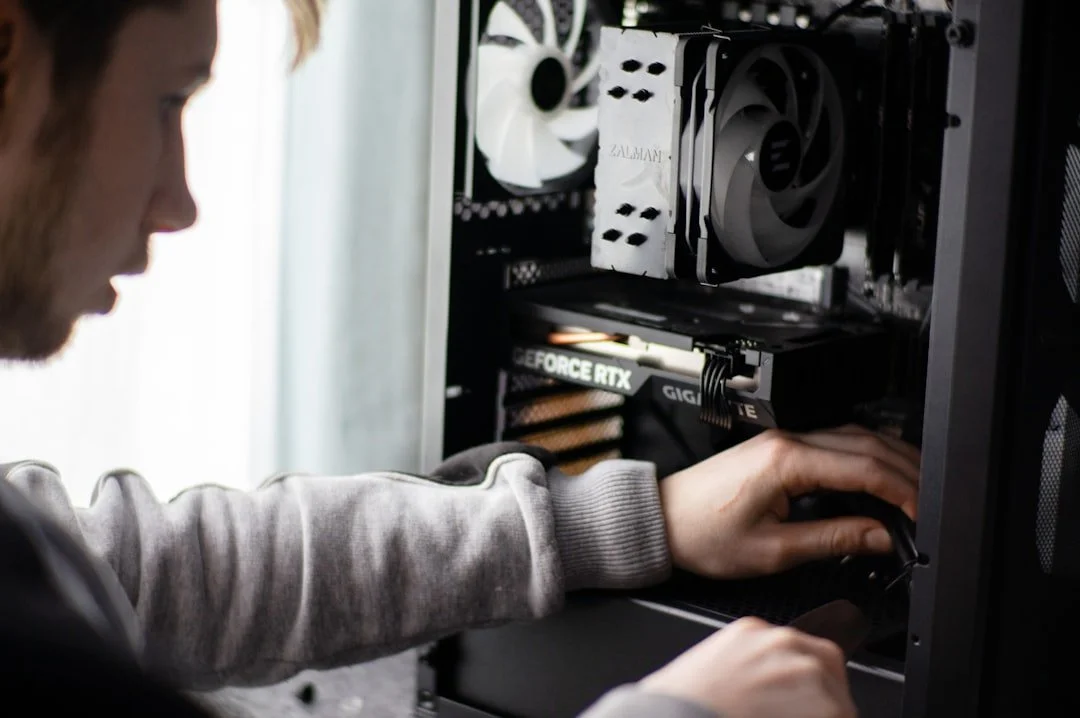
Computer and console repairs can restore your malfunctioning devices quickly and affordably, whether you're dealing with a cracked screen, overheating console, or software malfunction. Here's what you need to know.
Quick Repair Options Overview:
Console Repairs - HDMI port replacement, overheating fixes, water damage treatment, power supply repair, disc drive issues.
Computer Repairs - Screen replacement, virus removal, hardware upgrades, battery replacement, data recovery.
Professional Benefits - Expert diagnosis, quality parts, warranty protection, same-day service available.
Average Costs - Console repairs: $50-$200 | Computer repairs: $75-$300.
Turnaround Time - Many common repairs completed same-day; complex issues may take 1-3 days.
When to Seek Professional Help:
Your console won't power on or display video
Computer shows Blue Screen of Death or constant crashes
Physical damage like cracked screens or broken ports
Overheating or loud fan noise
Water or liquid damage
Data recovery needs
The weekend arrives and your gaming console displays the dreaded blue light. Or your laptop suddenly won't boot up before an important deadline. These moments are frustrating, but they don't have to mean the end of your device. Over 70% of computer users and 60% of gamers have experienced hardware failures requiring repair, yet many don't know whether to attempt a DIY fix or seek professional help.
Professional repair services offer several advantages over DIY attempts. Expert technicians use specialized diagnostic equipment to identify the root cause of problems—not just the symptoms. They source quality replacement parts, use precision tools like micro-soldering equipment for motherboard-level repairs, and provide warranties on their work. Most importantly, they prevent you from accidentally causing further damage that could turn a $100 repair into a $500 replacement.
The global video game market is projected to reach $282.30 billion in 2024, and the computer repair market exceeds $50 billion globally. With gaming consoles lasting 5-7 years on average, knowing how to maintain and repair your devices extends their lifespan and saves money. Common issues like HDMI port damage, overheating, water damage, and power failures are all repairable—often the same day.
I'm Cyndi Anastasio, owner of The Phone Fix Place in Albuquerque, and I bring nearly 14 years of engineering experience from Intel to computer and console repairs, specializing in advanced micro-soldering, circuit board diagnostics, and the kind of precision repairs most shops won't attempt. In this guide, I'll walk you through how to identify repair needs, understand your options, and choose the right service to get your devices back in action.
Identifying the Problem: Common Signs Your Tech Needs Repair
Nobody wants their favorite gaming console or essential computer to suddenly stop working. But recognizing the early signs of trouble can save you from bigger headaches (and bigger repair bills) down the line. Over 60% of gamers have experienced a hardware failure with their console, and over 70% of computer users have faced issues requiring repair. So, you're definitely not alone!
Telltale Signs for Gaming Consoles
Our gaming consoles are built for hours of entertainment, but they're not indestructible. The average lifespan of a gaming console is estimated to be around 5-7 years, and during that time, they can encounter a variety of problems. Here are some of the most common game console issues that require repair:
No power or no display: This is a classic "blue light of death" or "yellow light of death" scenario, where your console either won't turn on at all or powers on but shows nothing on your TV screen. This could indicate a power supply issue, a faulty HDMI port, or even a deeper motherboard problem.
Overheating and loud fan noise: If your console sounds like a jet engine taking off, or feels excessively hot to the touch, it's a clear sign of overheating. This often points to dust buildup, a failing fan, or a clogged cooling system. Untreated overheating can lead to permanent damage.
Disc drive errors: Is your console struggling to read discs, making strange noises, or refusing to accept discs altogether? This indicates a problem with the disc drive mechanism or laser.
Controller connection problems: If your controllers frequently disconnect, refuse to pair, or exhibit input lag, the issue might lie with the console's Bluetooth module or other internal components.
Graphic glitches or screen flickering: Distorted images, strange colors, or flickering on your screen during gameplay can signal issues with your console's GPU (graphics processing unit) or HDMI output.
Error codes: Consoles often display specific error codes when something is wrong. While these can sometimes be resolved with a simple restart, persistent or recurring codes usually mean it's time for a professional diagnosis.
Physical damage: Did you drop your Nintendo Switch and crack the screen? Spilled a drink on your PlayStation? Water damage is particularly insidious and requires immediate attention. HDMI port repair, for instance, is one of the most common console repair services requested due to physical wear and tear.
Red Flags for Computers and Laptops
Our computers and laptops are our workhorses, our creative hubs, and often our primary connection to the world. When they falter, it can bring our lives to a screeching halt. The most common computer repair issues include software problems, hardware failures, and virus removal. Here are some signs your computer or laptop might need professional help:
Slow performance: If your computer is sluggish, takes forever to boot up, or struggles with tasks it used to handle easily, it could be due to a failing hard drive, insufficient RAM, or a software issue.
Blue Screen of Death (BSOD): This infamous error screen on Windows computers indicates a critical system error, often related to hardware drivers, memory, or other fundamental system components.
Virus pop-ups and suspicious activity: Constant pop-up ads, unexpected software installations, or your browser redirecting you to strange sites are classic signs of malware or viruses.
Hardware failure alerts: Your computer might display messages warning about a failing hard drive, fan errors, or other component malfunctions. Heed these warnings!
Battery issues: For laptops, a battery that drains quickly, refuses to charge, or causes the laptop to shut down unexpectedly indicates a need for battery replacement.
Cracked screens: A cracked or broken laptop screen makes your device unusable.
Unresponsive keyboard or trackpad: If certain keys don't work, or your trackpad is erratic, it can be incredibly frustrating and hinder productivity.
If you're experiencing any of these issues with your computer, we offer comprehensive Computer Repair services. For laptop-specific problems, our Laptop Repair experts are ready to assist.
The Repair Landscape: Professional Service vs. DIY Fixes
When your beloved tech breaks, the first thought might be to try to fix it yourself. After all, there are countless tutorials online! But is that really the best route? Let's weigh the options.
The Case for Professional Computer and Console Repairs
Choosing a professional repair service for your computer and console repairs offers numerous benefits that often outweigh the perceived savings of a DIY attempt.
Expert technicians: Our team brings nearly 14 years of engineering experience to the table. We employ skilled technicians who are continuously trained on the latest developments in electronics repair, ensuring they're equipped to handle even the newest models like the PlayStation 5, Xbox Series X, and Nintendo Switch. We know our way around these intricate devices.
Specialized tools and diagnostic accuracy: We use precision tools and advanced diagnostic techniques to pinpoint the exact cause of the problem. This prevents guesswork and ensures the right fix the first time. For instance, intricate hardware problems often require specialized micro-soldering equipment that most home users don't have.
Quality parts guarantee: We source high-quality, brand-name replacement parts for every repair. This ensures longevity and optimal performance, unlike generic parts that might be found online for DIY projects.
Safety: Working with electronics can be risky, especially when dealing with power supplies or delicate internal components. Professionals know how to handle these safely.
Time efficiency: While you might spend hours or days troubleshooting and ordering parts, we can often complete many common repairs on the same day. This means less downtime for you.
Post-repair warranty: This is a huge advantage. We stand by our work, offering a one-year warranty on all repairs. This gives you peace of mind, knowing your investment is protected.
Whether you have a complex MacBook Repair need or a gaming console issue, professional services ensure a reliable and lasting solution.
The Risks of DIY Repairs
While the internet makes it seem easy, attempting DIY computer and console repairs comes with significant risks:
Voiding manufacturer's warranty: Opening your device, especially a newer one, almost always voids its manufacturer's warranty. If something else goes wrong later, you'll be on your own.
Causing further damage: One wrong screw, a slipped screwdriver, or an accidental static discharge can turn a simple fix into a much more expensive, or even unrepairable, problem. We've seen many devices come in worse shape after a DIY attempt.
Electrostatic discharge (ESD): Static electricity from your body can easily fry sensitive electronic components, even if you don't feel a shock. Professionals use anti-static mats and wrist straps to prevent this.
Incorrect part sourcing: It's easy to order the wrong part online, or worse, a cheap, low-quality component that fails quickly or doesn't perform as well as the original.
Lack of diagnostic equipment: Without proper diagnostic tools, you're often guessing at the problem, which can lead to fixing the wrong thing or missing the real issue entirely.
No guarantee of success: After all that effort, time, and potential expense, there's no guarantee your DIY repair will actually work.
| Feature | Professional Repair | DIY Repair |
|---|---|---|
| Cost | Initial outlay, but often cost-effective long-term | Potentially lower initial, but high risk of re-repair |
| Time | Swift, often same-day for common issues | Can be days or weeks (research, parts, execution) |
| Success Rate | High, thanks to expertise and tools | Variable, high risk of failure or new damage |
| Warranty | Typically 1-year (like ours!) | None |
| Expertise | Certified technicians, specialized knowledge | Limited, based on online tutorials |
| Parts Quality | High-quality, reliable components | Variable, risk of cheap or incorrect parts |
| Risk | Minimal, covered by warranty | High (voiding warranty, further damage) |
A Deep Dive into Professional Computer and Console Repairs
When you bring your device to us, you're not just getting a quick fix; you're getting a thorough, expert service designed to bring your tech back to peak performance. Our approach to computer and console repairs is systematic and comprehensive.
Common Console Issues and Their Fixes
Our expertise covers a wide array of console problems, ensuring your gaming experience is uninterrupted. We service all major gaming systems, including PlayStation (PS4, PS5), Xbox (Xbox One, Series X), and Nintendo (Switch, Switch Lite).
HDMI port replacement: This is perhaps the most frequent console repair we perform. A damaged HDMI port can lead to no display on your TV. We carefully replace these delicate ports, restoring your console's video output.
Overheating solutions: For consoles struggling with overheating, we perform deep cleaning of internal components, replace thermal paste, and repair or replace faulty cooling fans to ensure efficient heat dissipation.
Water damage treatment: Accidents happen! If your console has had a run-in with liquid, we offer specialized water damage treatment. This involves carefully disassembling the device, cleaning corroded components, and replacing any parts that are beyond repair. Early intervention is key here.
Power supply repair: If your console won't power on, the power supply unit (PSU) is often the culprit. We diagnose and repair or replace faulty PSUs, getting your console to boot up again.
Hard drive replacement: A failing hard drive can cause slow loading times, game crashes, or even prevent your console from booting. We can replace the hard drive, often upgrading it to a faster SSD for improved performance.
Disc drive cleaning and repair: For consoles that struggle to read discs, we clean the laser, repair or replace disc drive mechanisms, and ensure smooth disc operation.
For all your gaming console needs, our dedicated Game Console Repair services are here to help.
Advanced Repairs and Upgrades
Sometimes, issues run deeper than a simple component swap. This is where our advanced repair capabilities truly shine.
Motherboard-level repair: When is motherboard-level repair necessary? Often, when a console or computer experiences power issues, no display, or other complex failures that aren't resolved by replacing standard components. This involves intricate work directly on the device's main circuit board.
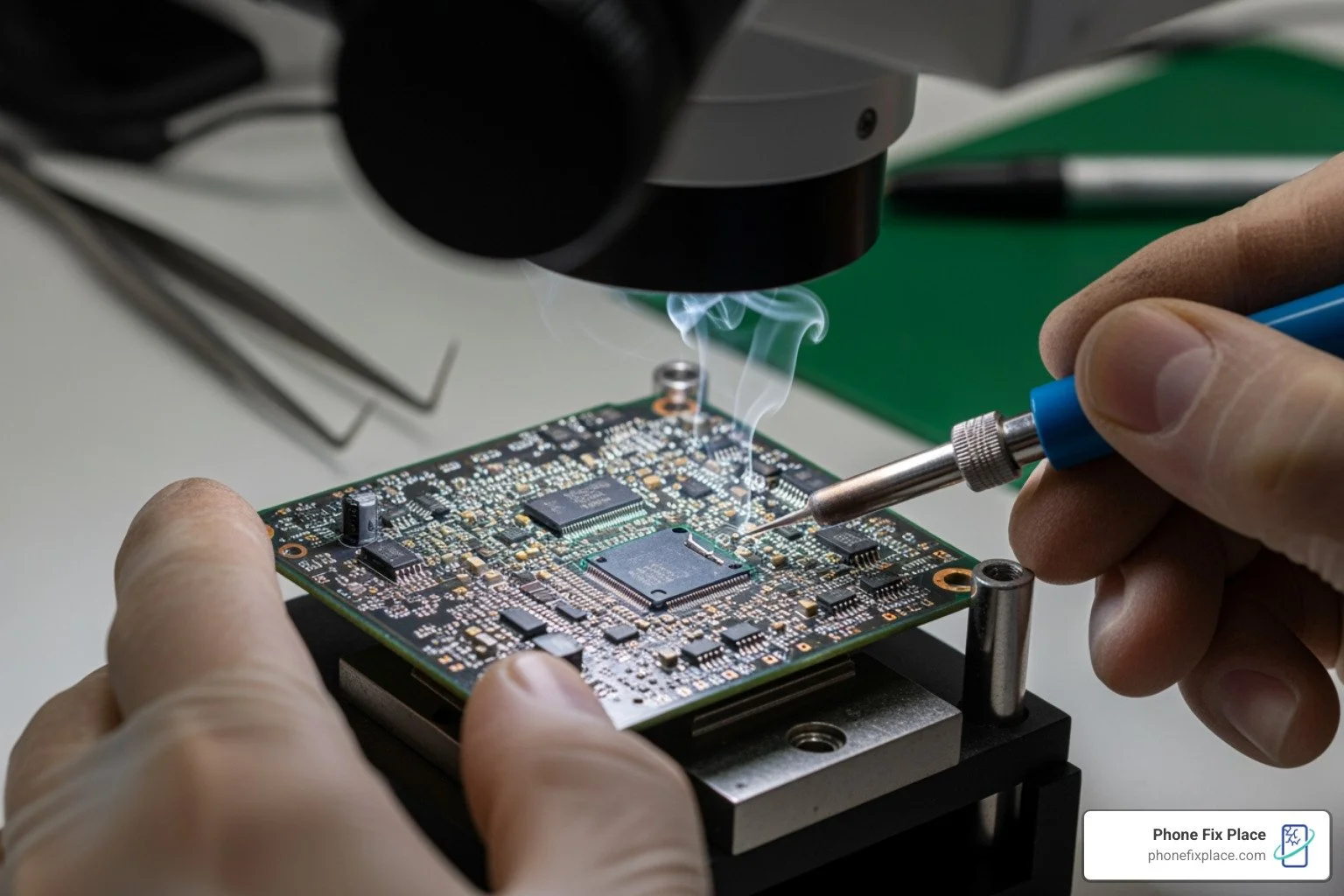
Micro-soldering: This specialized skill allows us to repair tiny components on the motherboard, such as charging ports, HDMI ports, power ICs (integrated circuits), and even CPU issues. My background from Intel gives us a unique edge in performing these delicate and precise repairs.
CPU issues: While rare, CPU (central processing unit) issues can render a device inoperable. We have the expertise to diagnose and, in some cases, repair problems related to the CPU, including fixing bent gold CPUs.
Storage upgrades (SSD): Beyond just fixing what's broken, we can improve your console or computer's performance. Upgrading a traditional hard drive to a solid-state drive (SSD) can dramatically improve boot times, loading speeds, and overall responsiveness.
Console deep cleaning: Prevention is better than a cure! A thorough deep cleaning can prevent overheating issues before they start, extending the life of your console.
For crucial files on a damaged device, our Data Recovery services can often retrieve your precious memories or important documents.
What to Expect from the Professional Repair Process
We believe in transparency and efficiency. When you choose us for your computer and console repairs in Albuquerque, here's what the typical process looks like:
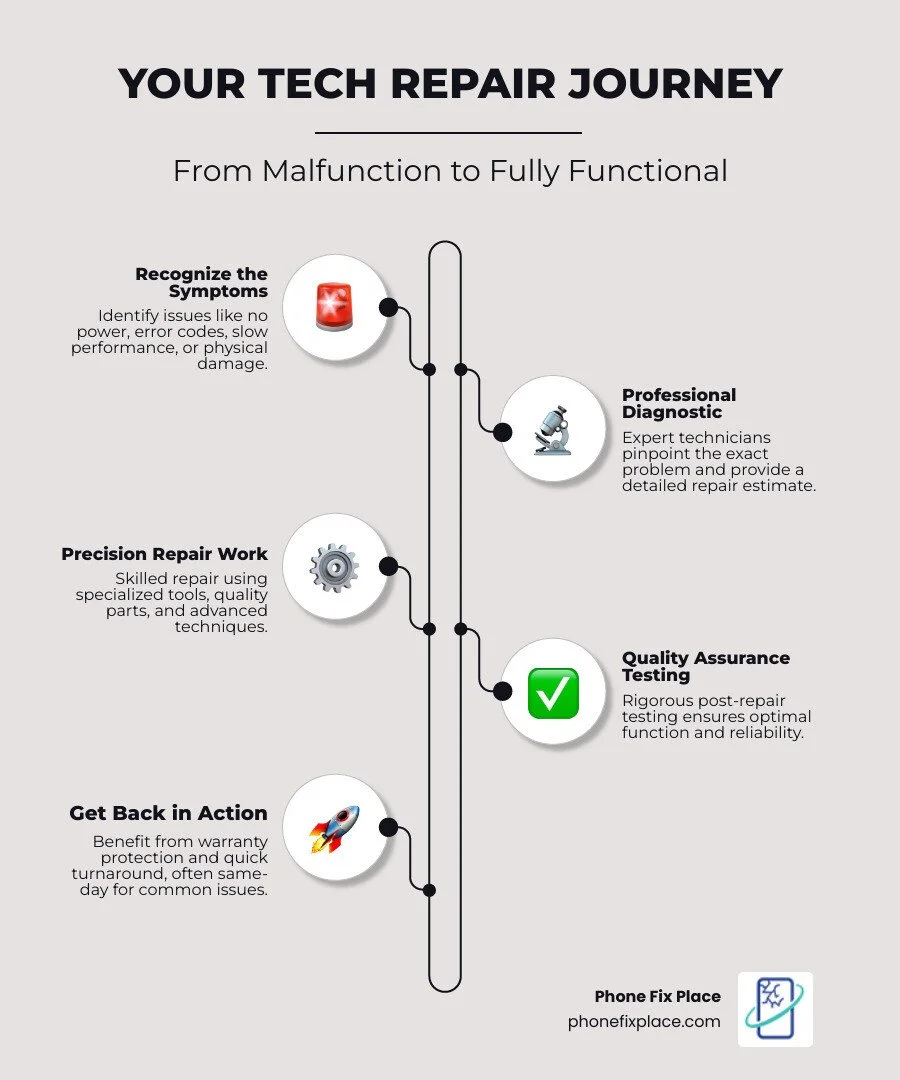
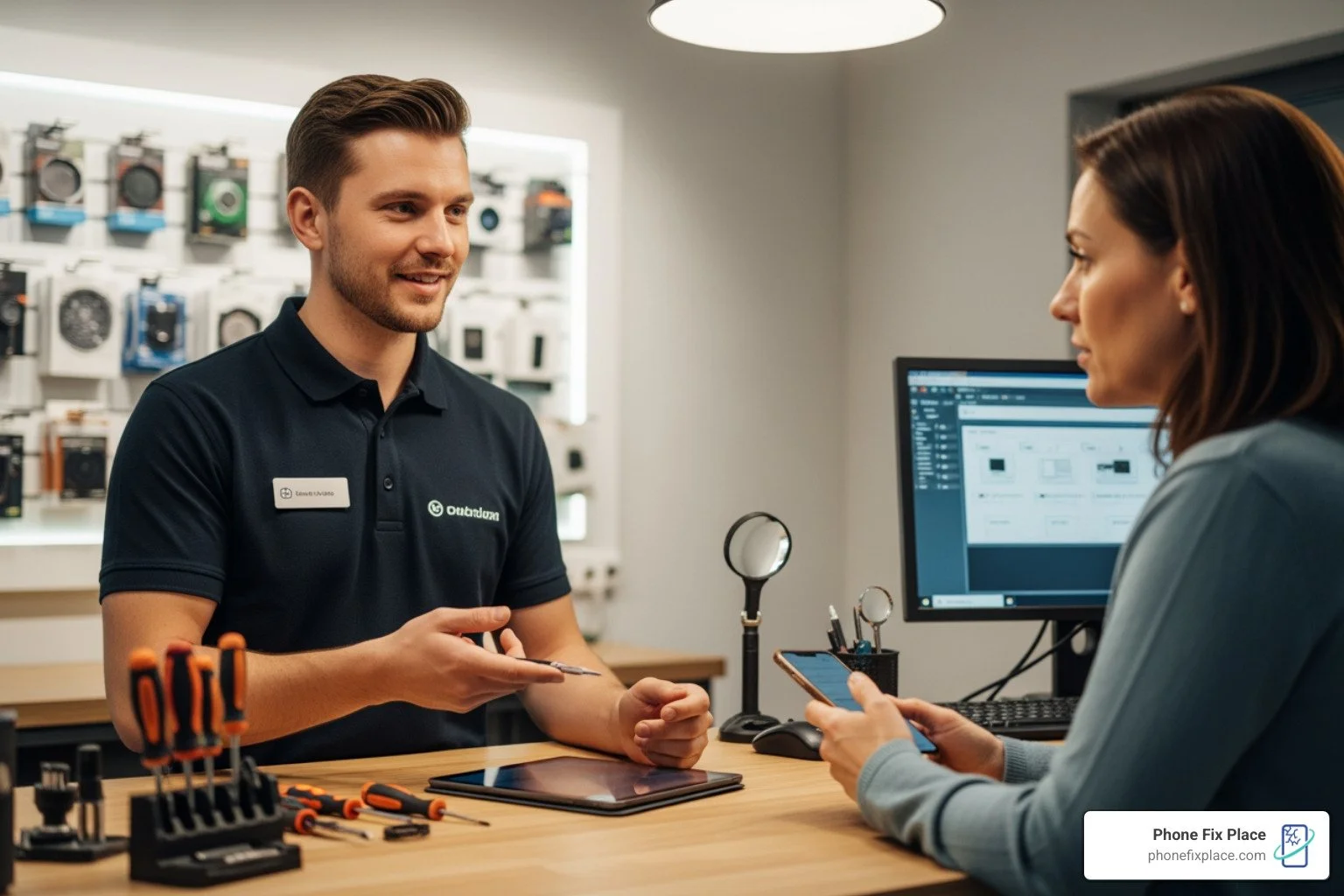
Initial diagnosis: Bring your device to our shop. We offer free diagnostics to accurately identify the problem. This is a crucial step that prevents unnecessary repairs and ensures we get to the root cause.
Free estimate: Once we've diagnosed the issue, we'll provide you with a detailed, free estimate of the repair cost and time. We believe you should know exactly what to expect before any work begins.
Turnaround time: We understand you want your device back quickly. Many common repairs, like screen replacements or HDMI port fixes, can be completed the same day. More complex issues, such as motherboard repairs or water damage treatment, might take 1-3 days, depending on the severity and part availability.
Quality assurance testing: After the repair is complete, we rigorously test your device to ensure everything is functioning perfectly. We don't hand it back until we're confident it meets our high standards.
Sourcing high-quality parts: We pride ourselves on using only high-quality, reliable replacement parts for all our repairs. This commitment to quality ensures the longevity and performance of your repaired device.
We're proud to serve our community, including those in Los Ranchos de Albuquerque, with top-notch Gaming Console Repair in Los Ranchos de Albuquerque services.
Choosing the Right Repair Service for Your Needs
With the increasing demand for game console repair services (up 15% year-over-year!) and the constant need for computer maintenance, choosing the right repair shop is essential. You want a service that's not only skilled but also trustworthy and transparent.
Key Factors to Consider
When evaluating where to take your valuable tech for computer and console repairs, consider these crucial factors:
Repair cost: The average cost of a game console repair can range from $50 to $200, while computer repairs typically range from $75 to $300. Always get a free estimate upfront. Our free diagnostics ensure you know the cost before committing.
Turnaround speed: How quickly can they get your device back to you? We offer same-day service for many common repairs, understanding that you rely on your tech.
Warranty length: A good warranty is a sign of confidence in their work. We provide a robust one-year warranty on all our repairs, giving you peace of mind.
Technician experience: Look for experienced technicians who understand the intricacies of modern electronics. Our team's engineering background and specialized skills, like micro-soldering, set us apart.
Customer reviews: What do other customers say? While we don't display specific review counts here, our commitment to customer satisfaction is paramount.
Free diagnostics: Avoid shops that charge just to look at your device. Our free diagnostics ensure you get an accurate assessment without any upfront cost.
Location convenience: For our Albuquerque community, having a local, accessible repair shop is a major plus. We're right here when you need us.
For residents in Los Ranchos de Albuquerque looking for reliable computer services, our Computer Repair in Los Ranchos de Albuquerque experts are ready to assist.
Understanding Repair Costs and Financing
Understanding the typical costs involved in computer and console repairs can help you make an informed decision.
Average repair costs: As mentioned, console repairs typically fall between $50 and $200, while computer repairs range from $75 to $300. The exact cost depends on the specific issue, the parts required, and the complexity of the labor.
Diagnostic fees: Be aware that some shops charge for diagnostics. We believe in transparency, which is why we offer free diagnostics to pinpoint the problem without any obligation.
Part quality impact: The quality of replacement parts significantly impacts the repair cost and the longevity of the fix. We always opt for high-quality components to ensure a durable repair.
Repair vs. replacement value: Often, repairing your existing device is far more cost-effective than buying a brand new one. For example, replacing a damaged HDMI port for $100-$150 is much cheaper than buying a new $500+ console. Our expert diagnostics help you determine the most economical path forward.
Financing options: Unexpected repairs can be a strain on the budget. We offer flexible financing options to help you get your device fixed now and pay over time. Learn more about our leasing options.
Frequently Asked Questions about Device Repairs
We often hear similar questions from our customers about their broken devices. Here are some of the most common ones:
How long does a typical game console or computer repair take?
The duration of a repair largely depends on the complexity of the issue and the availability of specific parts. For many common problems, such as cracked screens, battery replacements, or HDMI port repairs, we are often able to complete the service the same day you bring it in. More intricate issues, like motherboard-level repairs or severe water damage, might require 1 to 3 days to ensure thorough repair and rigorous testing. We always aim for the quickest possible turnaround without compromising on quality.
Is it more cost-effective to repair or replace my device?
In most cases, repairing your device is significantly more cost-effective than replacing it entirely. For issues like a broken charging port, a faulty power supply, or even software problems like virus removal, the repair cost is typically a fraction of what a new device would cost. Given that the average cost of a game console repair can range from $50 to $200, compared to hundreds of dollars for a new console, the savings are clear. Our free professional diagnostic service will help you determine the most economical solution for your specific situation, ensuring you make the best decision for your budget and your tech.
What types of consoles and computers do you service?
We pride ourselves on our comprehensive repair capabilities, servicing a wide array of devices. For game consoles, we expertly repair all major brands and models, including the latest PlayStation 5, Xbox Series X, and Nintendo Switch, as well as previous generations like PS4 and Xbox One. For computers, our technicians are skilled in handling both PC and Mac desktops and laptops of virtually all models. Whether it's a software glitch, a hardware failure, or a physical damage issue, our team is equipped to bring your device back to life.
Conclusion: Get Your Devices Back in the Game
Facing a broken computer or a malfunctioning game console can be incredibly frustrating. But as we've explored, you have reliable, expert options for computer and console repairs right here in Albuquerque. Choosing professional service over a risky DIY attempt ensures your devices receive the care they deserve, extending their lifespan and saving you money in the long run.
With expert technicians, a one-year warranty, and free diagnostics, professional repair is a reliable and affordable choice to extend the life of your technology. Don't let a cracked screen or the blue light blues keep you from your digital world.
Get your game console repaired today and get back to what you love!